Praxisautomat
Redesign of a healthcare application that helps patients independently manage tasks such as requesting sick notes, ordering medication, and connecting with their family doctor. The focus was to simplify a crowded experience, improve accessibility for elderly users, and translate redesign decisions into implementation-ready frontend outcomes.
Key Achievements
Patient Self Service Flows
- Medication requests
- Sick note requests
- Appointment booking
- Document uploads
Clinic Automation Impact
- Reduced nurse workload
- Lowered waiting time
- Helped prevent long queues
Clear and Inclusive Experience
Improved clarity for users with different ages, backgrounds, and technical abilities by simplifying decisions, improving guidance, and making the interface easier to understand.
Part of a Patient Journey
Praxisautomat is the in clinic half of a paired patient journey. It is the experience patients meet once they arrive at the practice, on the self service kiosk at reception.
Before they arrive, they meet the experience at home on the public clinic website, ÄrzteTeam 42, which I also redesigned and rebuilt so the most asked questions are answered at home and patients arrive informed.
Designing both sides as one connected experience keeps the language, hierarchy and self service mindset consistent from a patient's first question on their phone at home, all the way through their visit at the practice.
Read the companion case study: ÄrzteTeam 42 · At Home
Problem and Role
The clinic application started as a project for our family clinic, and I worked on it as a UI UX designer. The first version was confusing from a patient perspective because the flow was unclear and the interface did not guide users visually. I asked our doctor if I could redesign it from scratch so patients could use it with more confidence.
The application helps patients handle simple requests by themselves, such as asking for medication, requesting a sick note, booking appointments, or uploading documents. It is part of clinic automation that reduces workload for nurses, lowers waiting time, and helps avoid long queues. The core idea is to let patients complete what they can on their own, save time, and have a better experience.
Healthcare products are sensitive because users are very diverse in age, background, and technical ability. Every step needs to be clear, simple, and easy to understand. Another challenge is that product owners such as doctors are not always familiar with digital product workflows, while designers are not fully experts in medical constraints. That gap requires close communication from both sides.
Goal
The redesign aimed to improve both business and user outcomes:
- Help users, especially elderly patients, complete booking and registration more easily
- Reduce confusion during key flows
- Increase successful task completion
Observed Problems
- Users were unsure about the next step
- The process included too many unclear stages
- Important actions were not visually highlighted
- The interface felt overwhelming for elderly users
These issues likely caused drop off before task completion.
Hypotheses
- If the flow is simplified, users can finish tasks more easily
- If instructions are clearer, users feel more confident
- If CTA actions are more visible, more users continue
- If visual hierarchy improves, users understand the process faster
Approach
- Simplified the flow by removing unnecessary steps and reordering screens
- Added step by step guidance for actions such as inserting insurance cards
- Improved visual hierarchy with larger typography, spacing, and clearer CTA emphasis
- Focused on accessibility with clear language and supportive visuals for elderly users
Validation Plan
Compare a standard CTA against a more prominent CTA with clearer wording, then measure which version improves completion.
Expected Impact and Reflection
- Reduced confusion and smoother navigation
- Higher completion rates in key tasks
- Stronger confidence for users, especially elderly patients
This project strengthened my understanding that usability alone is not enough. Structure, clarity, and visual hierarchy directly shape user behavior and task success.
Before & After
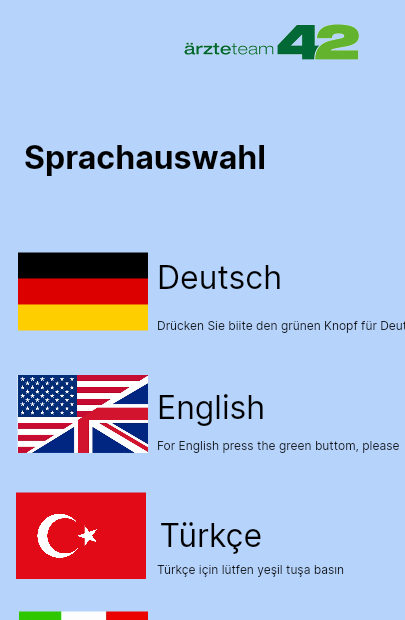
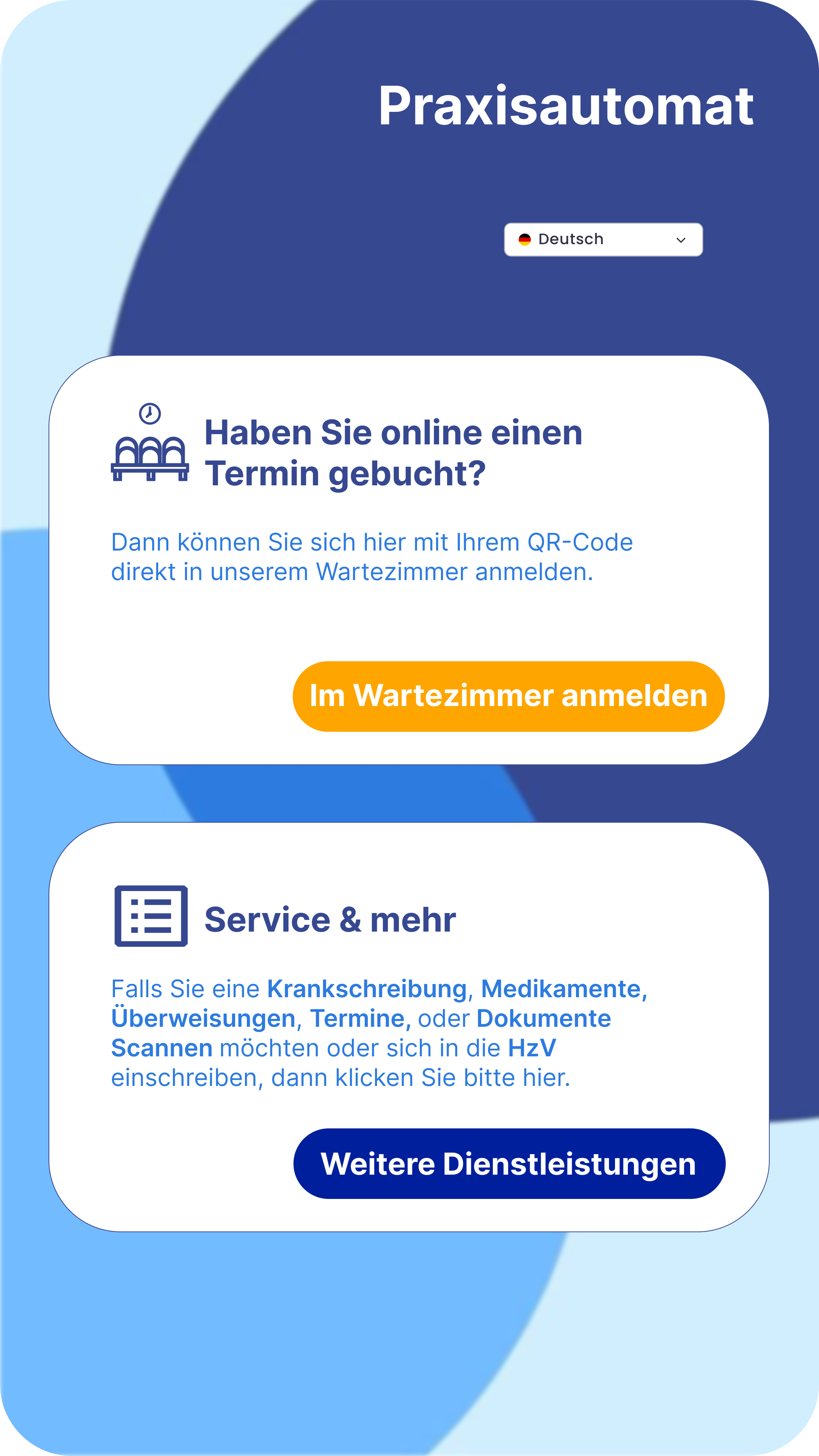
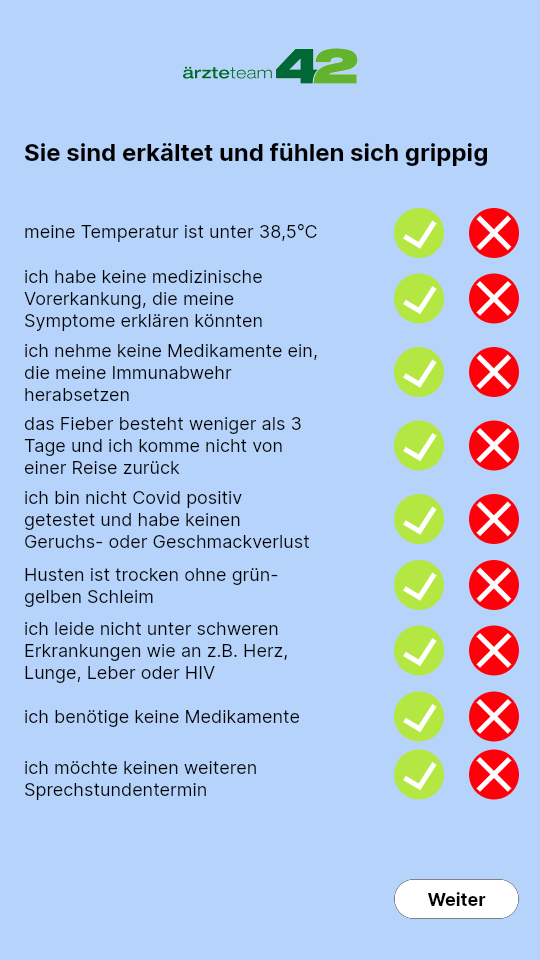
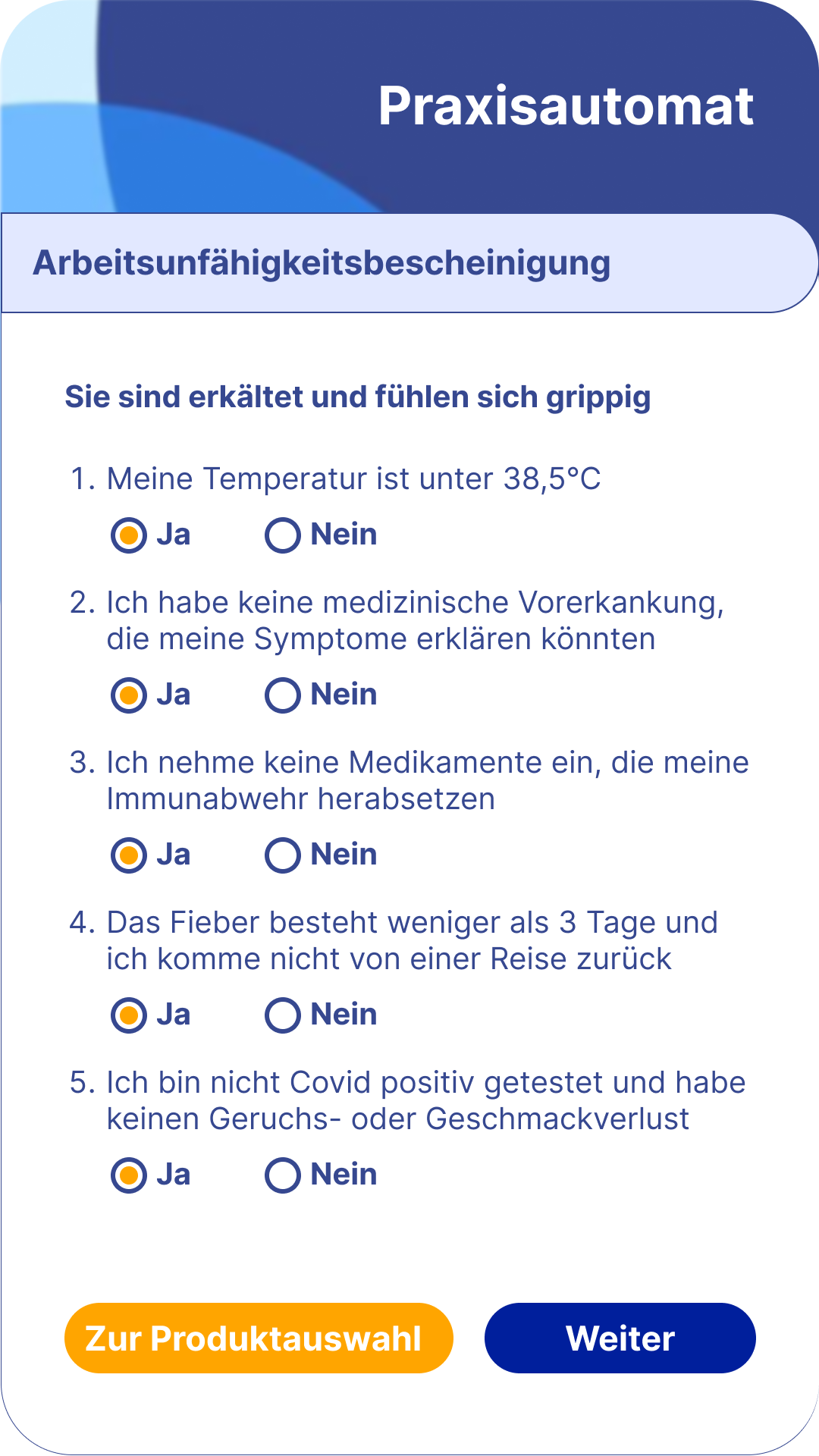
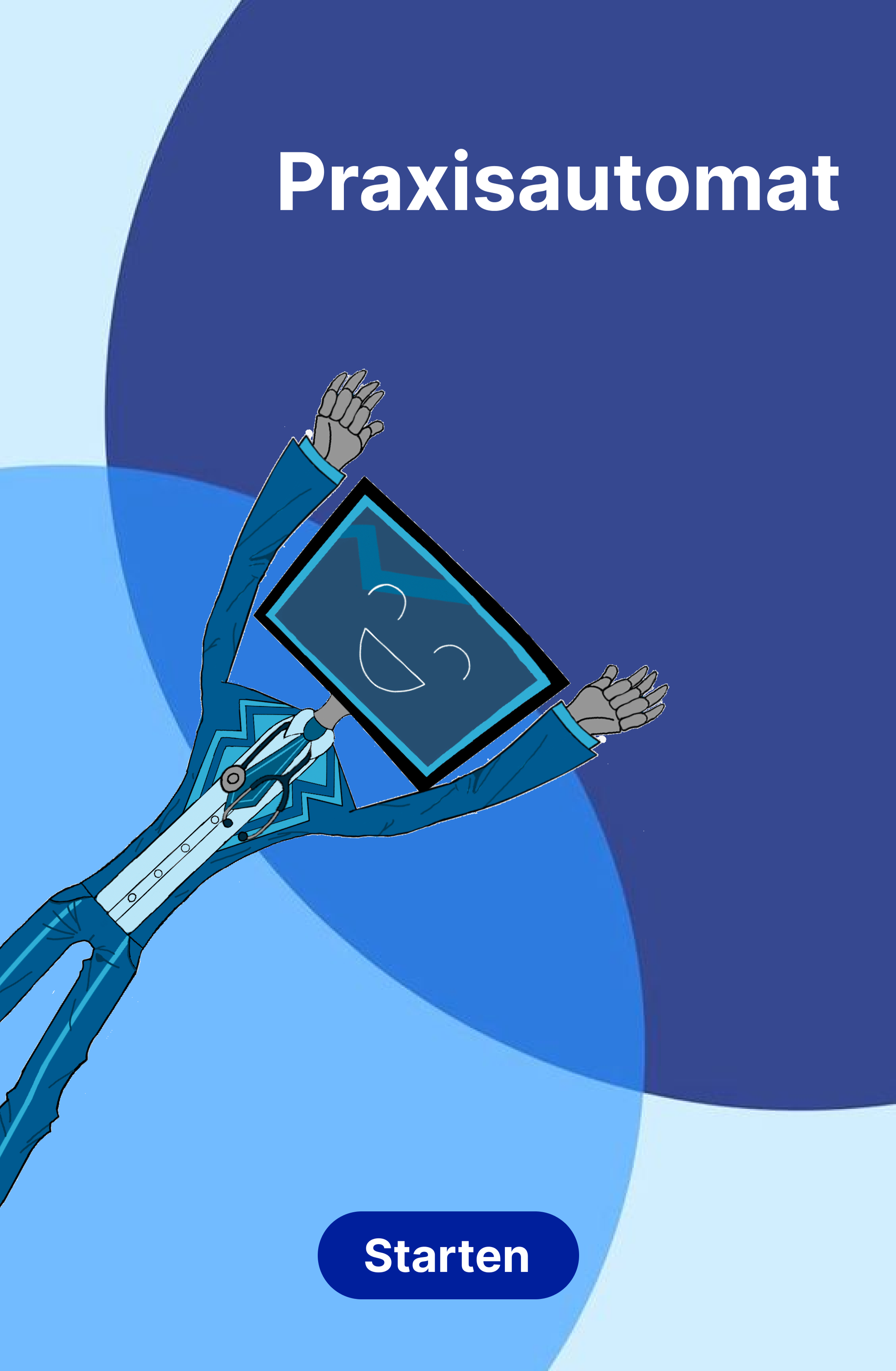
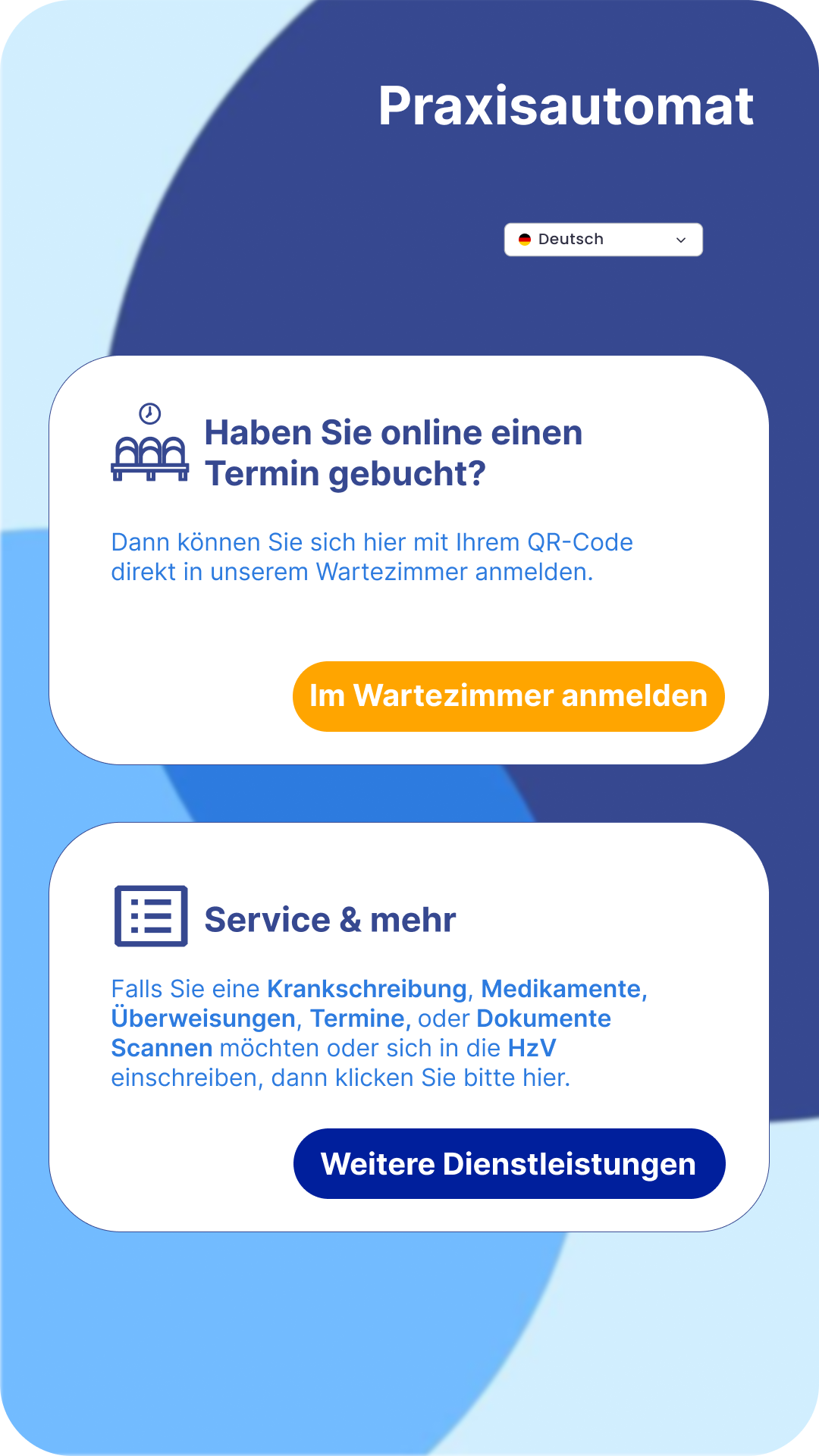
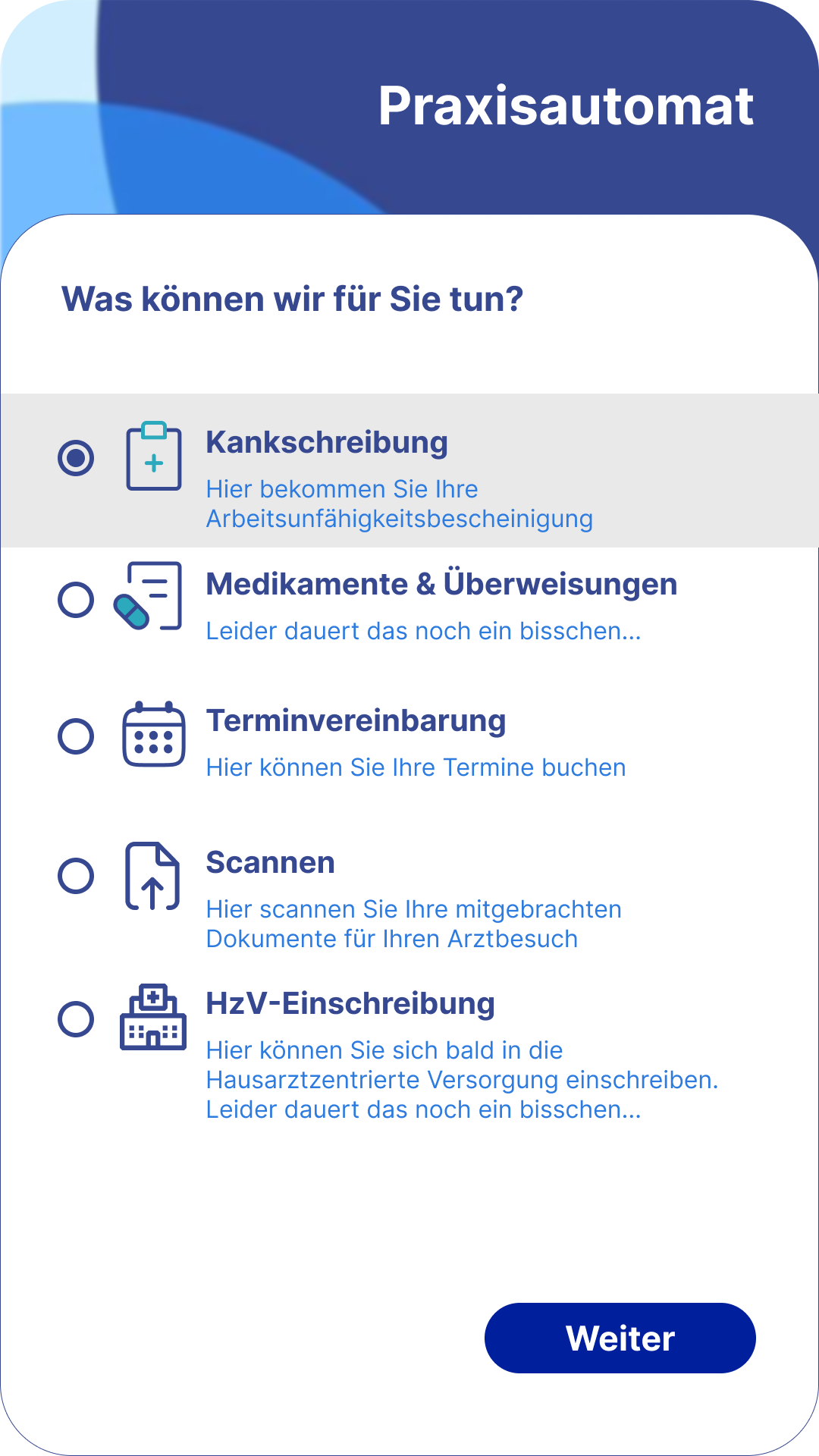
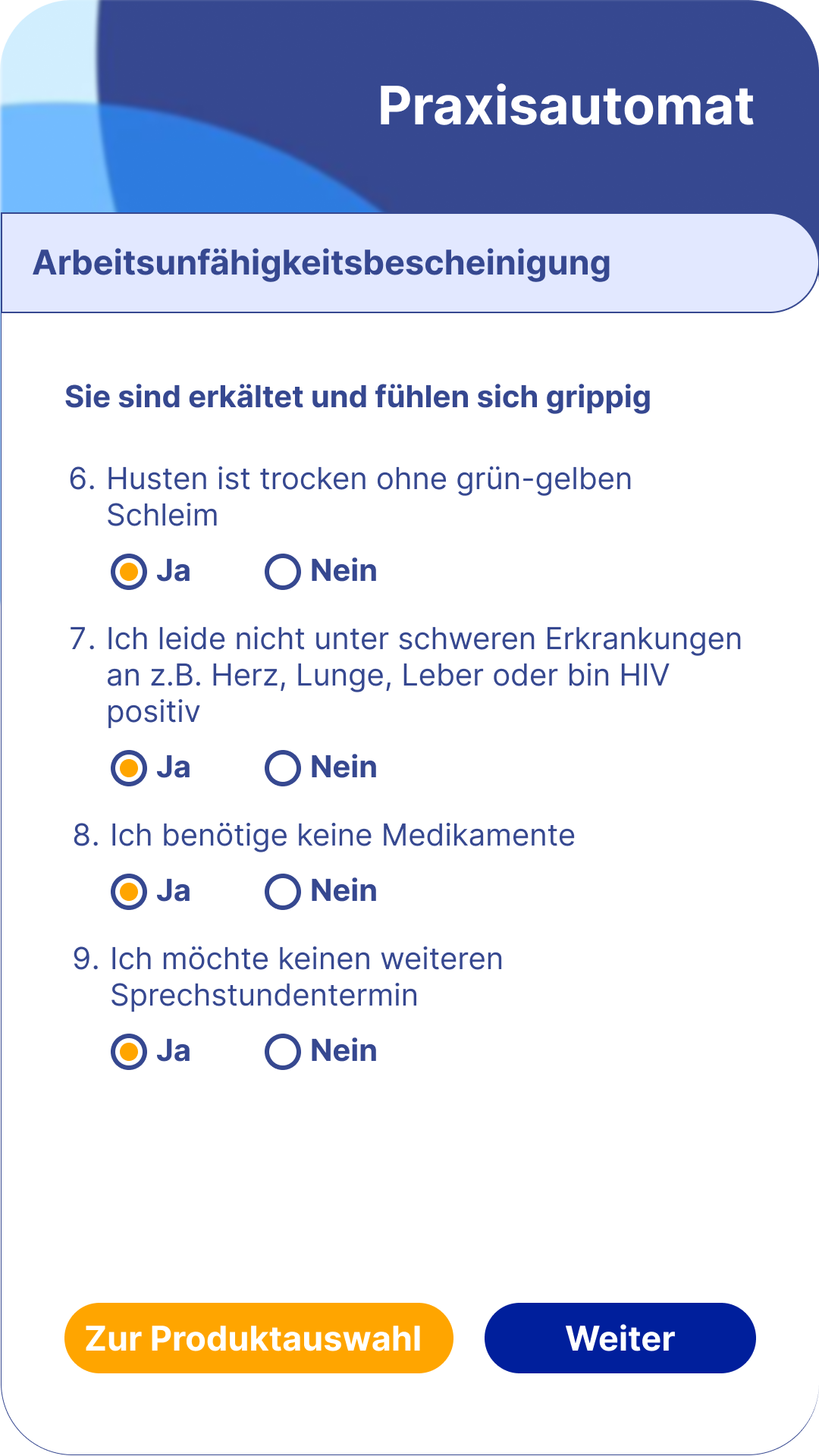
Comparison of old and redesigned screens showing the shift from crowded layouts and unclear actions to cleaner hierarchy, clearer decision points, and more accessible interaction patterns.
UI Details
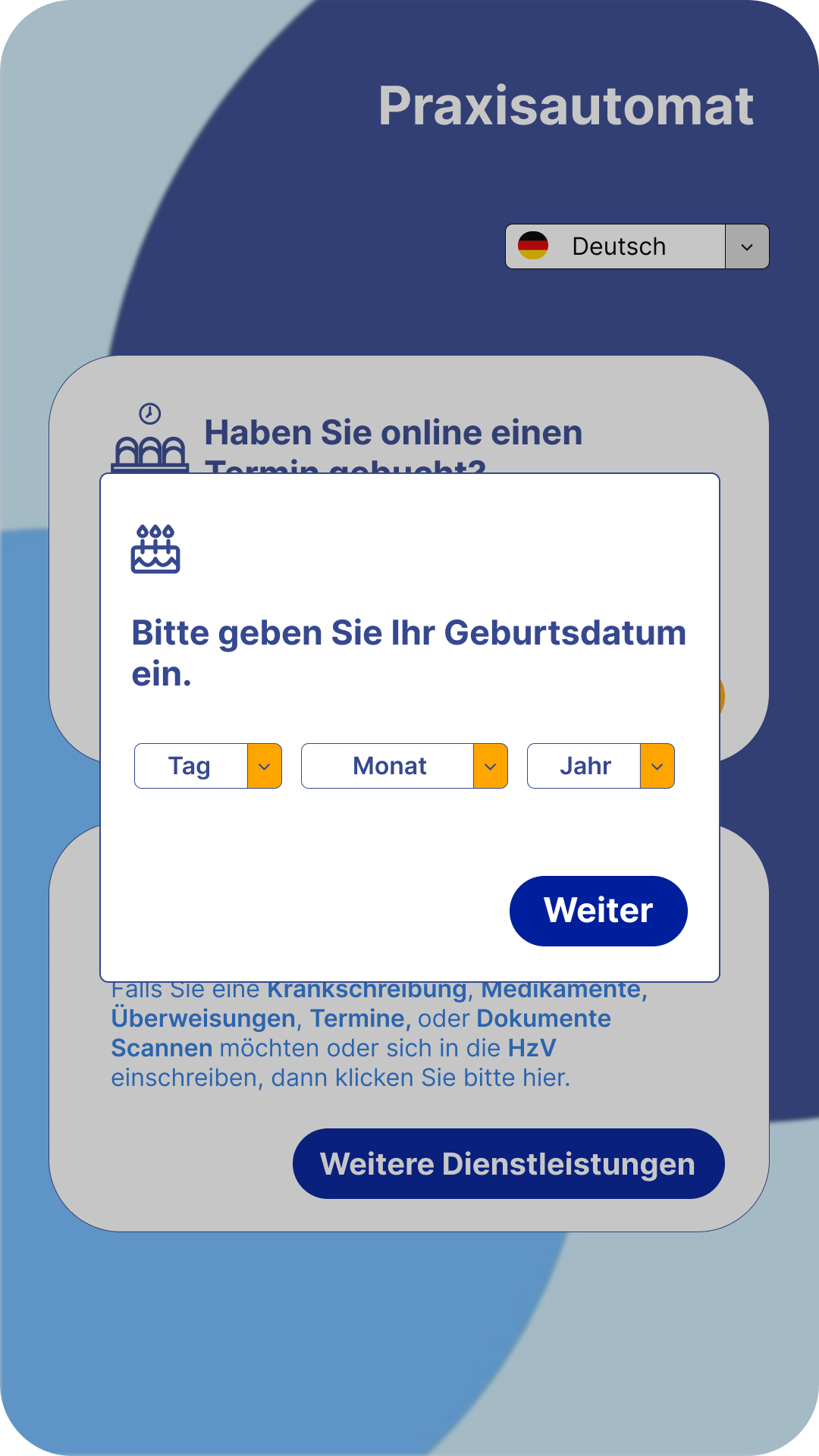
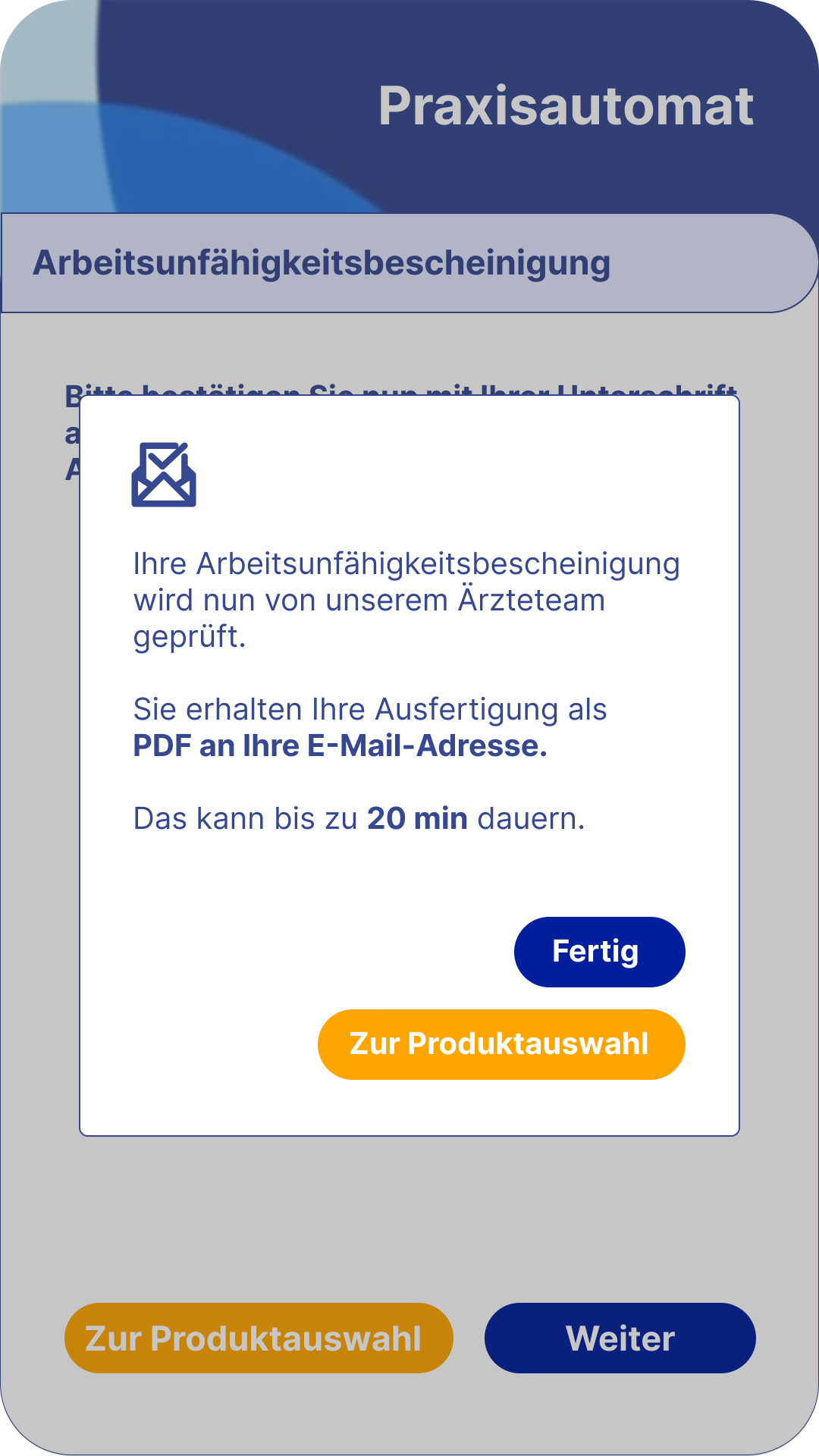
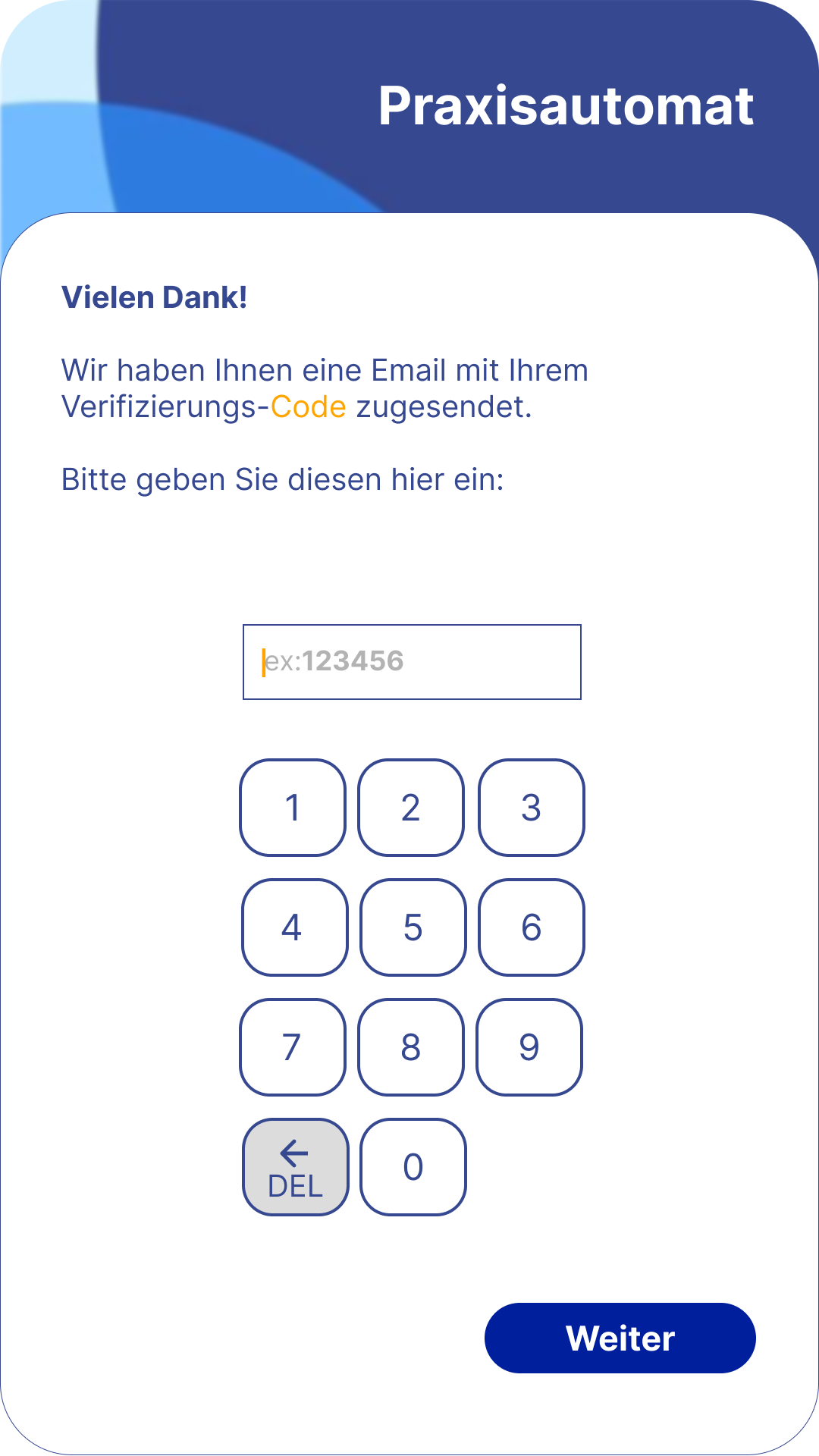
A closer look at the redesigned screens, including refined components, clearer form behavior, and a more consistent visual language across the product.
Website Design
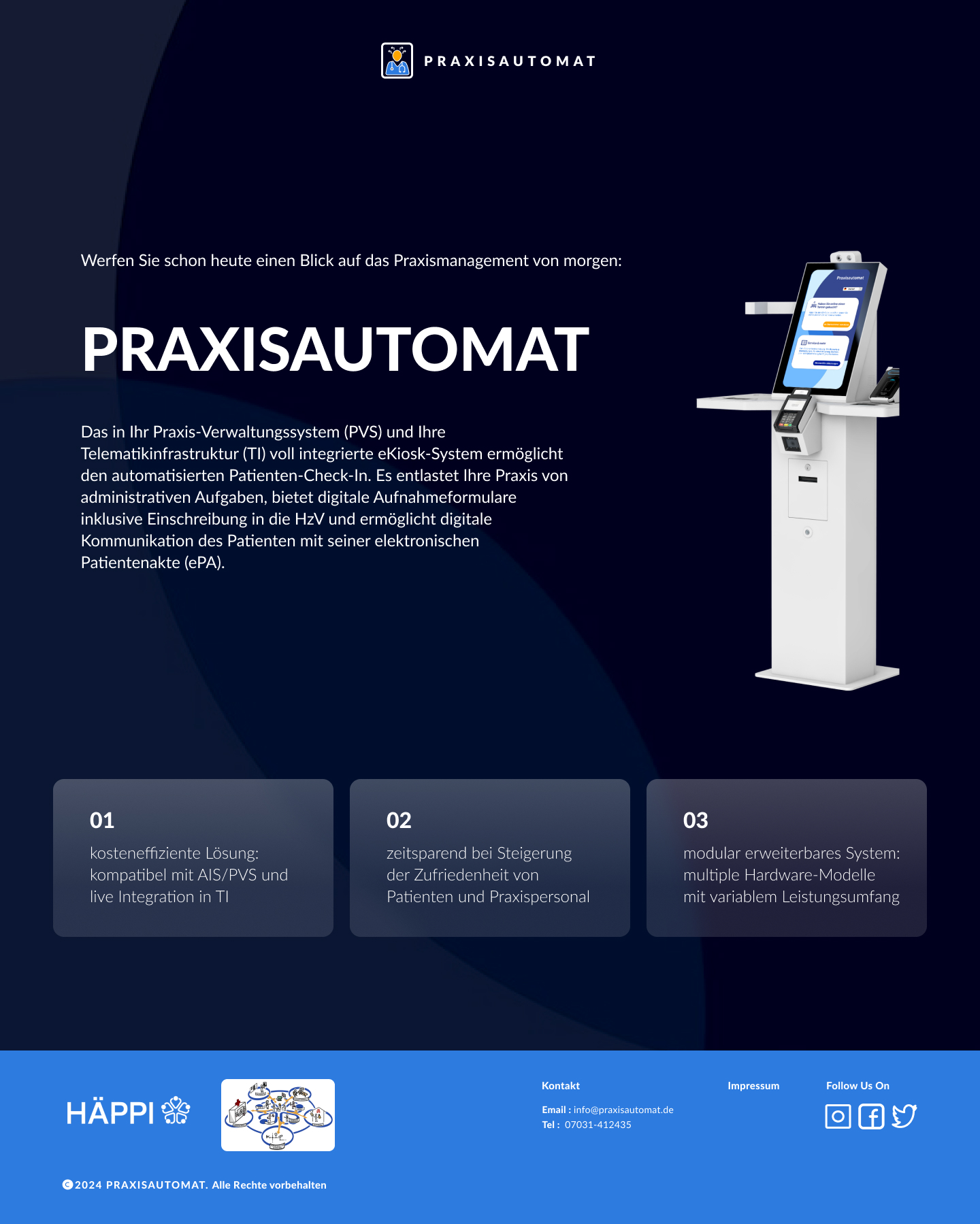
Alongside the application, the Praxisautomat website was redesigned so the first impression matched the product quality: clearer structure, accessible typography, and a more trustworthy presentation for both patients and doctors.
Personal Reflection
This project is special for me because I can experience it as a real user. Each time I visit the clinic and see patients using the application, I feel proud. I also observe how people interact with it, identify pain points, and improve the design continuously. It was challenging and meaningful, and it was my first real world project where I could take full responsibility for something that is actively used. This experience also helped me get my position at Stark Group, where my first project was designing our clinic website as a continuation of this work.