Online Flower Ordering Application
End-to-end mobile app concept created during the Google UX Design Professional Certificate. This case study demonstrates full-cycle UX execution: research, problem framing, interaction design, prototyping, usability testing, and structured iteration.
Overview
Completed independently, this project was treated like a real product design challenge, with clear decisions at each phase. My responsibilities included:
- Researching users and identifying needs, pain points, and opportunities
- Defining the problem and translating it into a clearer product direction
- Developing wireframes, mockups, and low- and high-fidelity prototypes
- Testing ideas, reviewing usability, and refining screens based on feedback
- Presenting the work as a portfolio case study with a clear design narrative
Goal
The goal was to design a smoother and more trustworthy flower-ordering experience, especially for users comparing options, personalizing gifts, and completing checkout under time pressure.
What This Project Demonstrates
This project shows how research insights were translated into concrete UI decisions with traceable rationale from discovery to final prototype.
- Empathize: understand users, their goals, and their frustrations
- Define: identify the core problem and focus the product direction
- Ideate: explore possible solutions and interaction approaches
- Prototype: translate ideas into wireframes, mockups, and interactive flows
- Test: gather feedback, review usability, and improve the design
What I Wanted to Improve
Many gifting flows become frustrating when users must compare bouquets, add personal details, and finish checkout in one session. The focus was reducing friction through stronger structure, smoother transitions, and a visual style that feels friendly and reassuring.
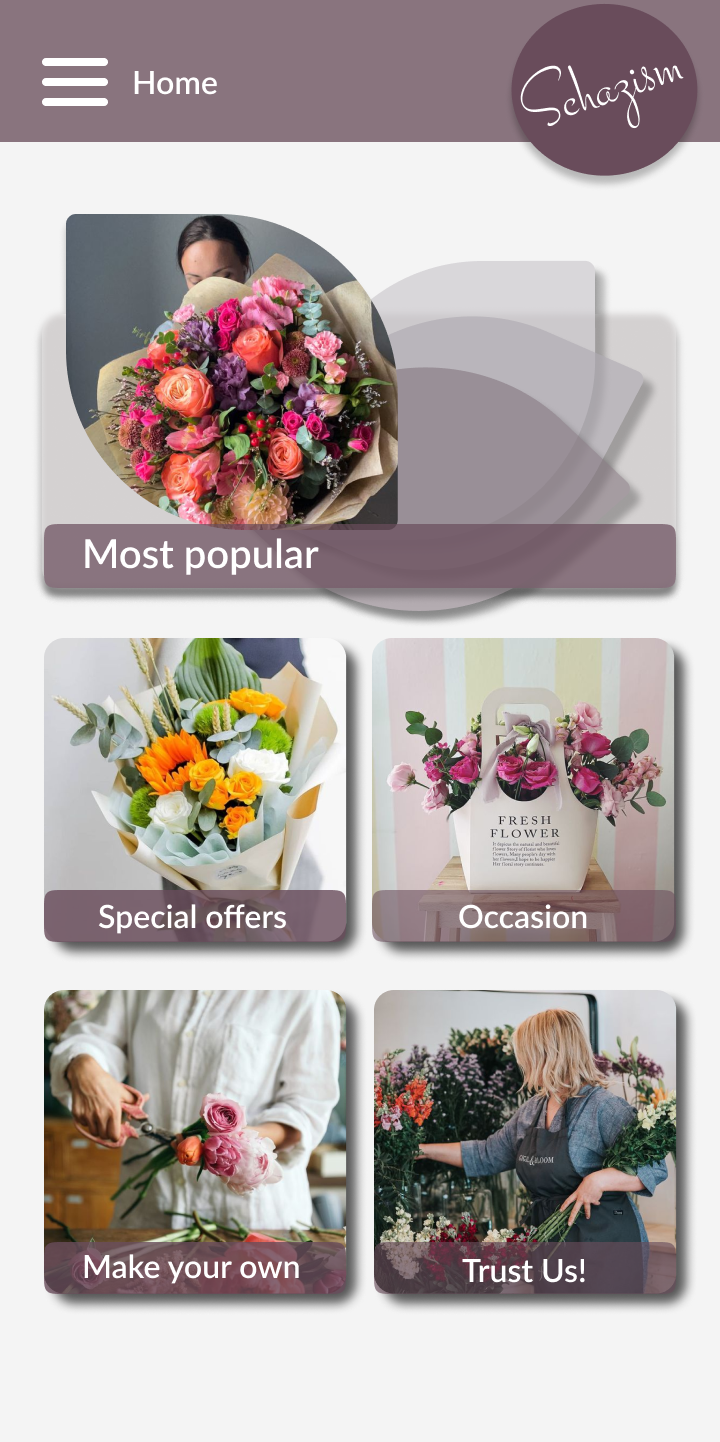
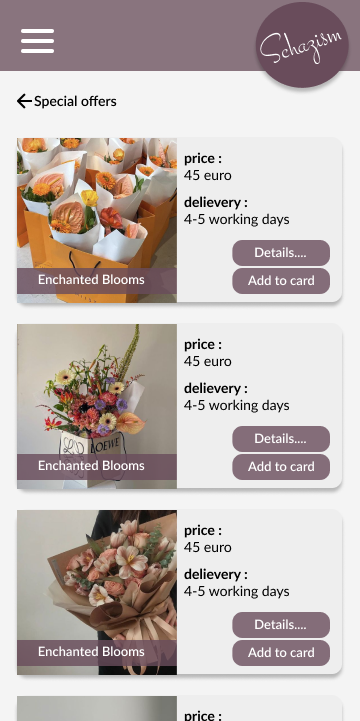
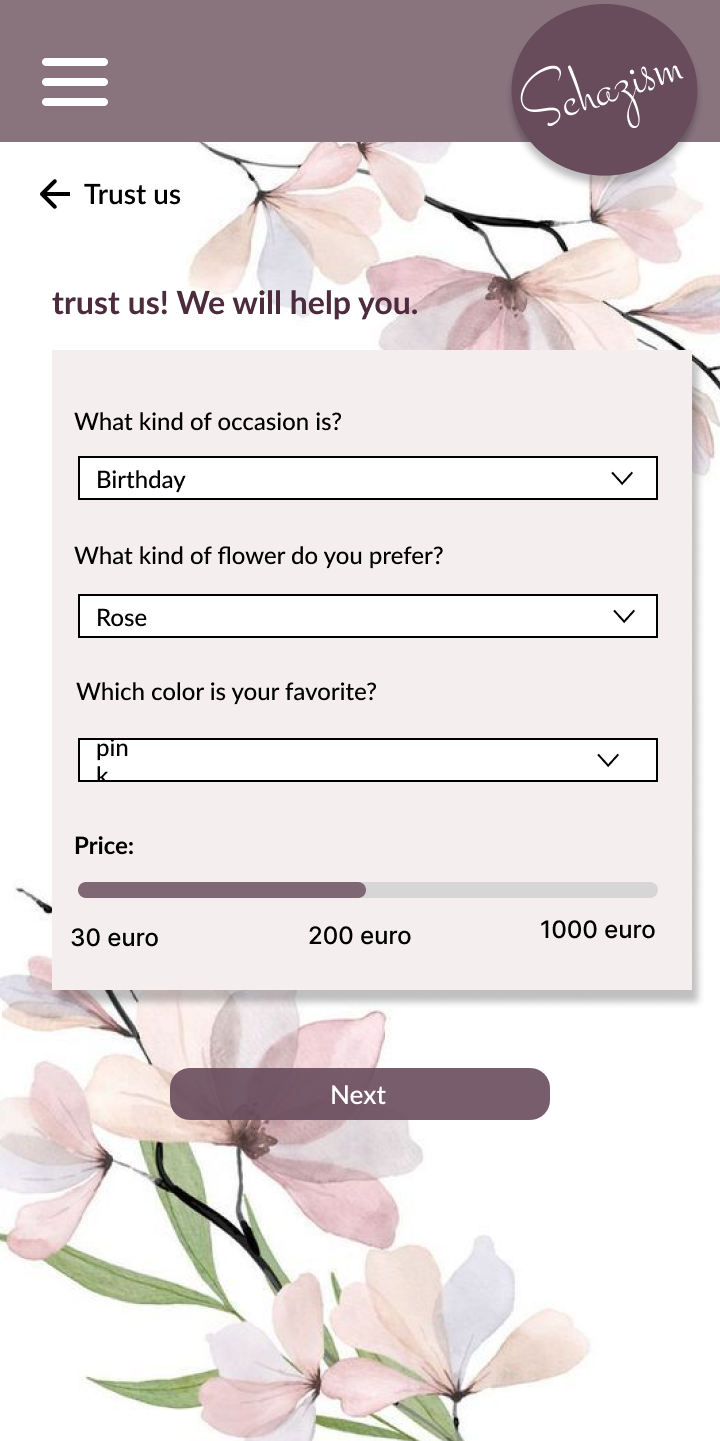
App Screens
High-fidelity screens showcasing the core user flows.
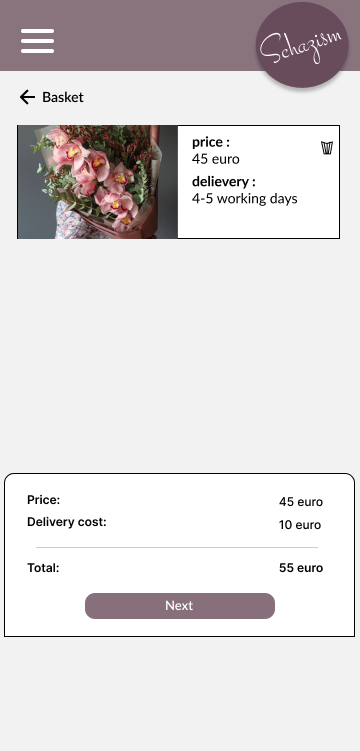
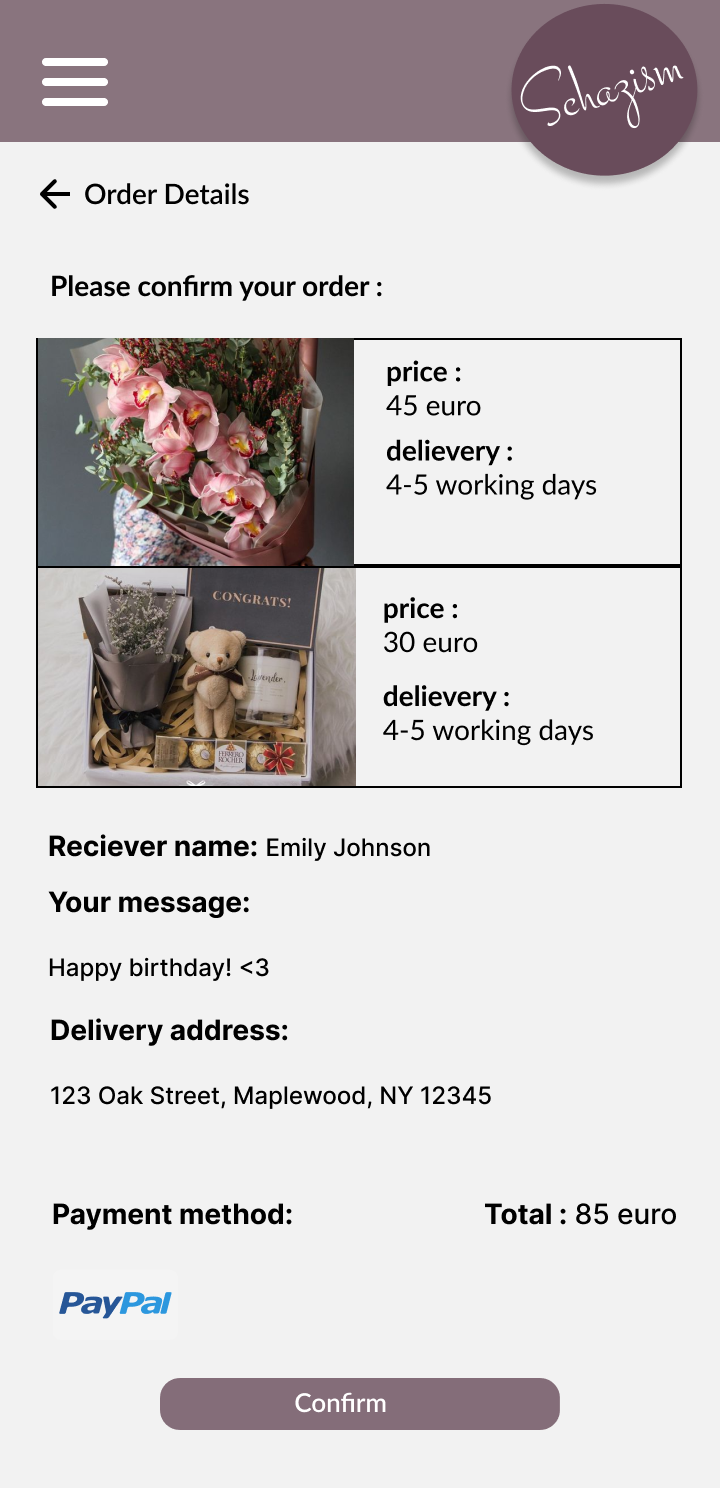
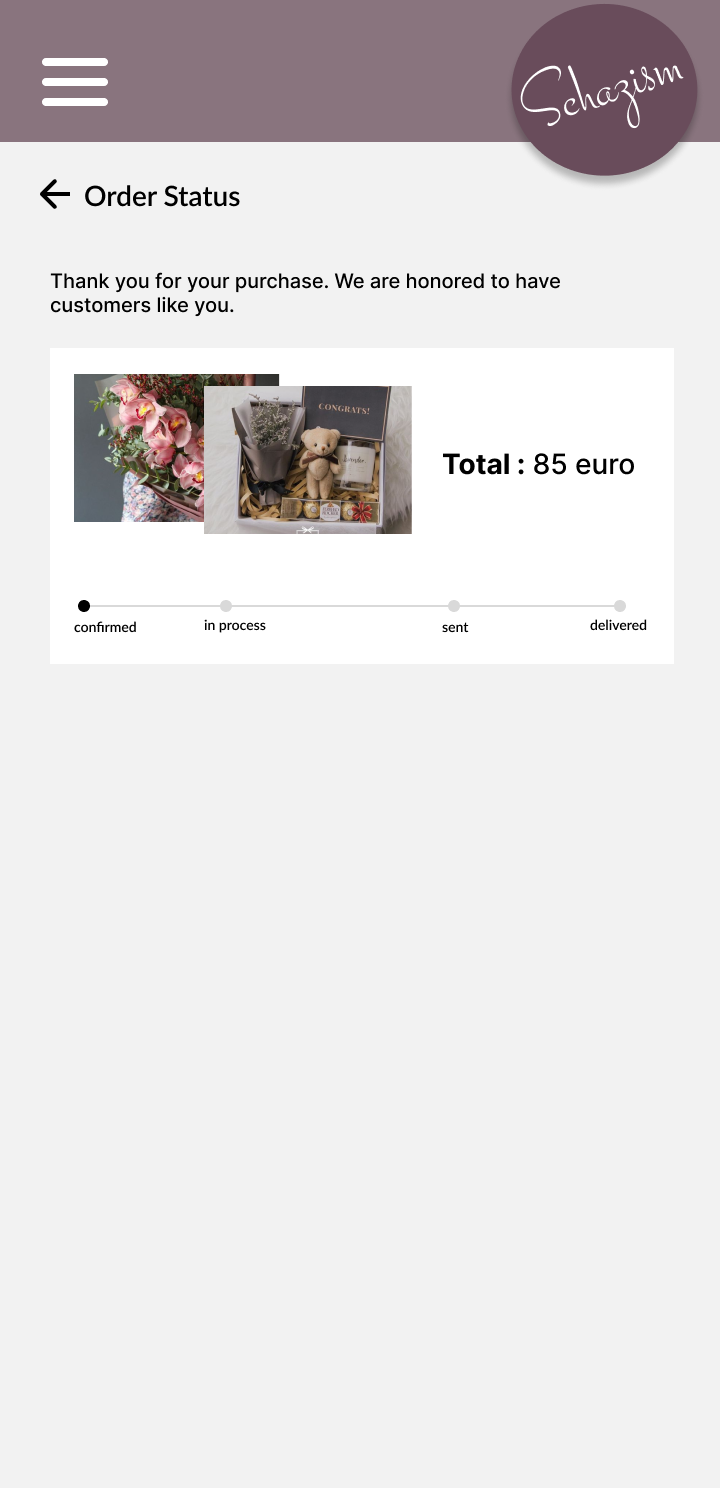
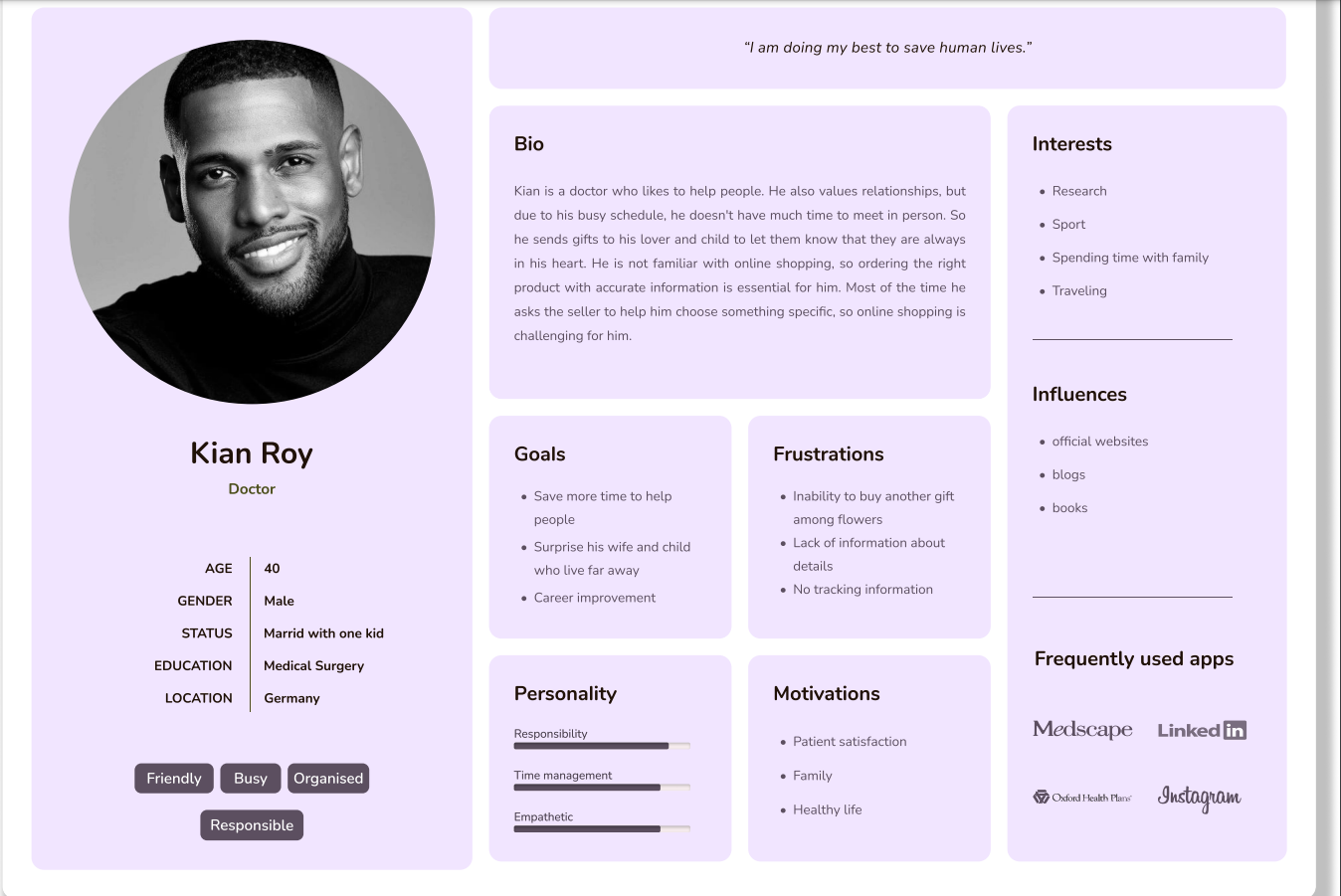
Personas
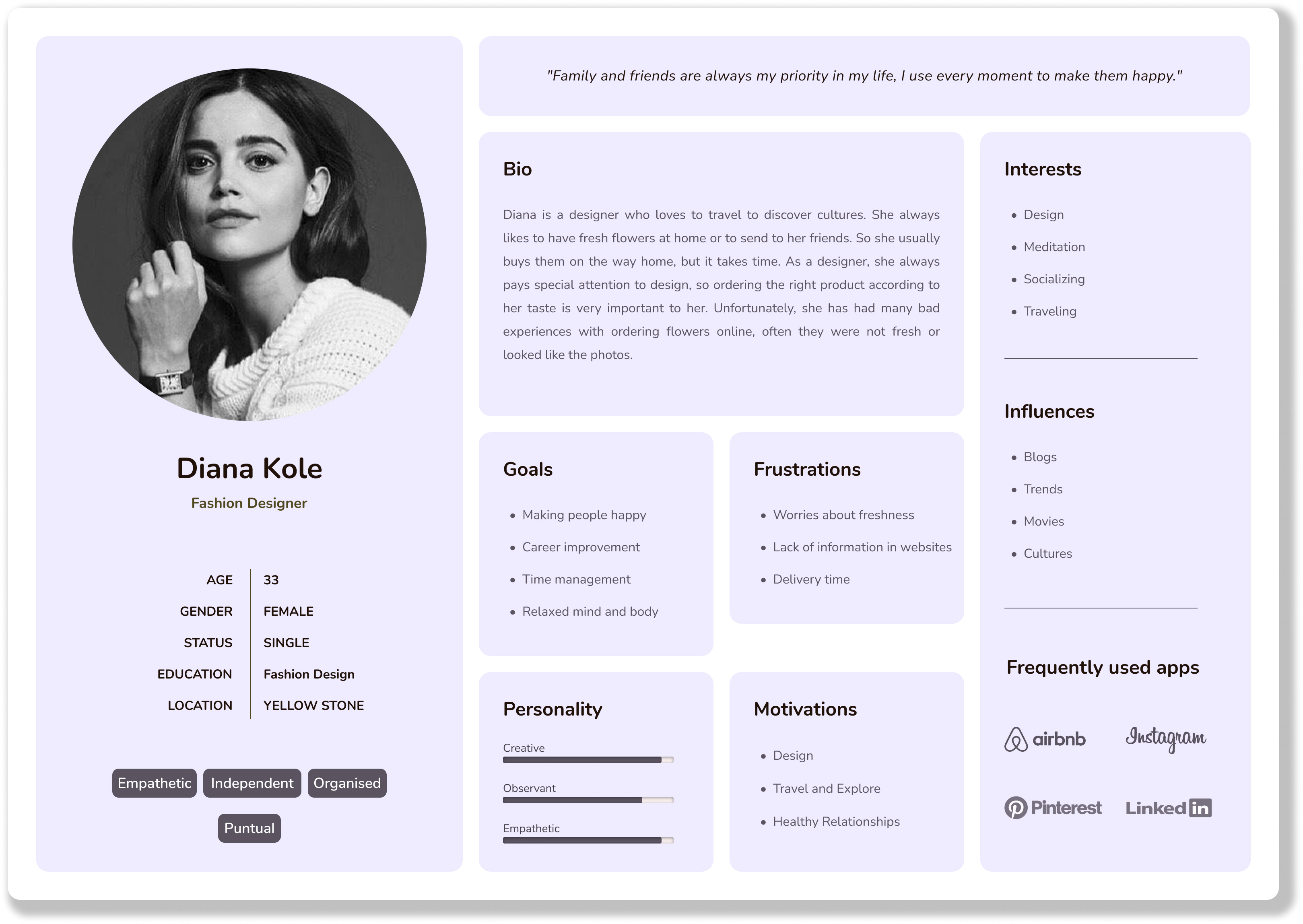
To guide decisions, personas were defined to reflect different motivations, expectations, and shopping behaviors across the flower-ordering journey.
Storyboards
The Big Picture
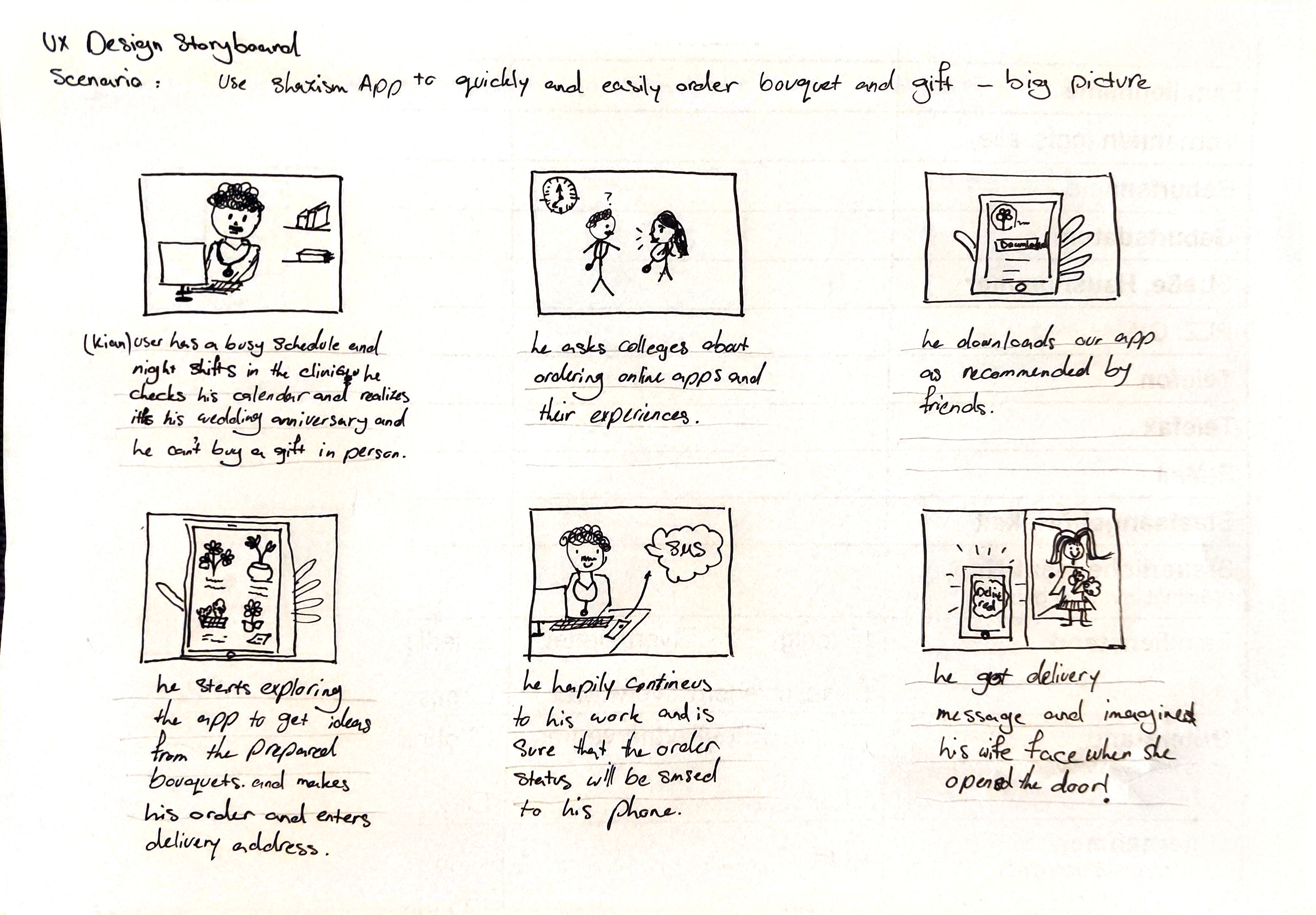
A wide-angle storyboard capturing the full user journey, from recognizing a gifting need to the feeling of a successful and reassuring delivery experience.
Close-up
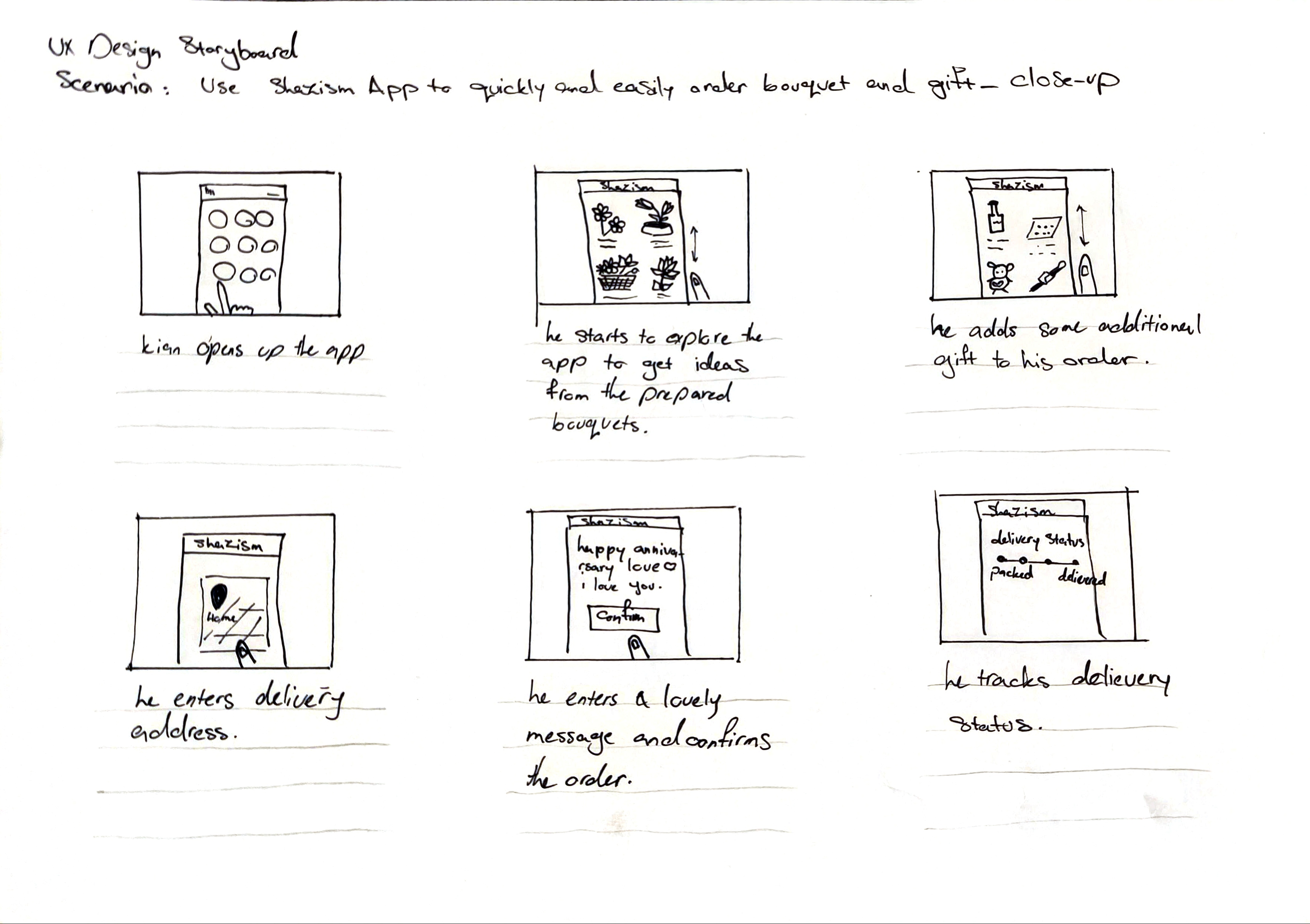
A close-up storyboard focusing on one specific interaction and the emotional details within the ordering flow.
User Journey Map
Wireframes
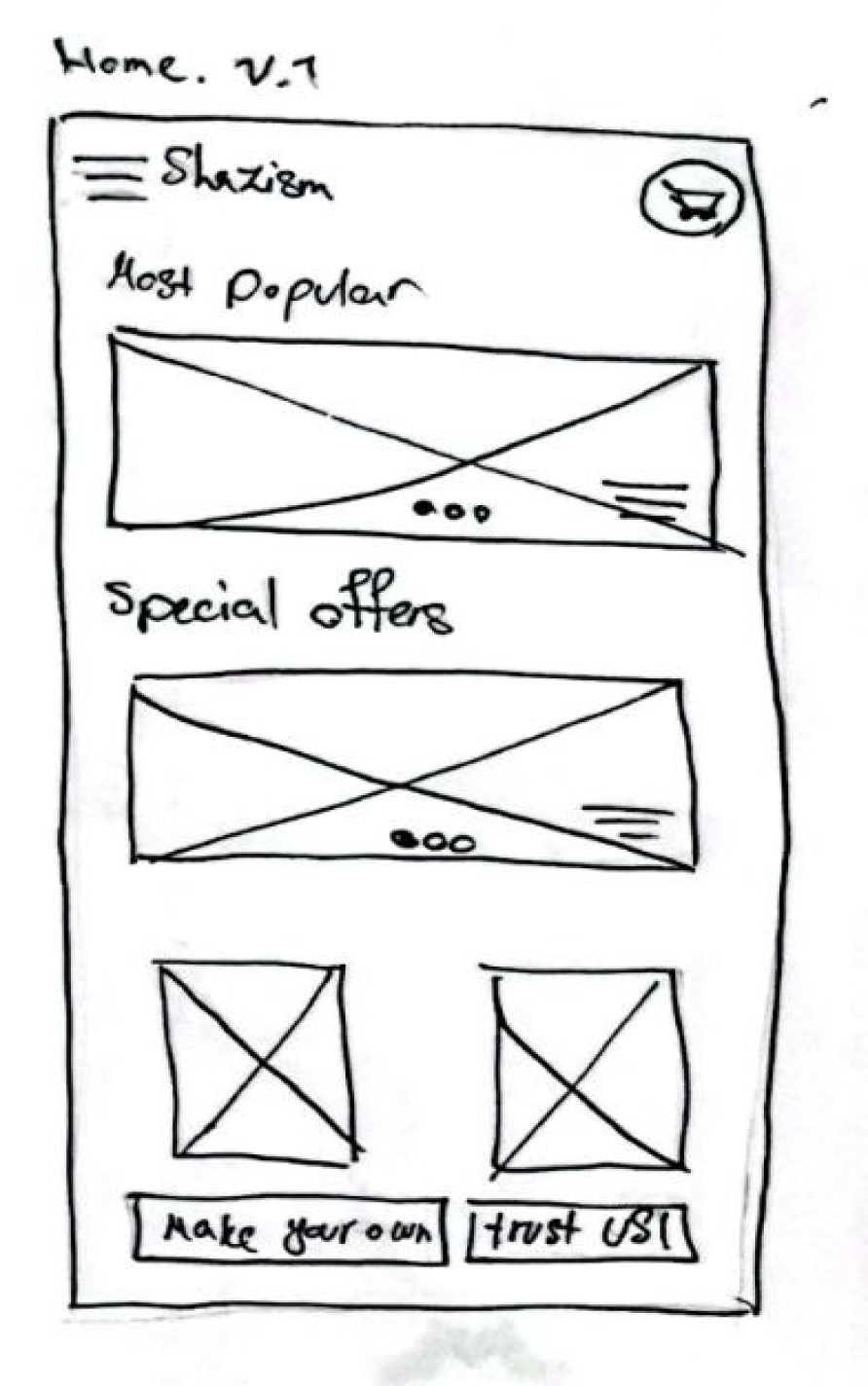
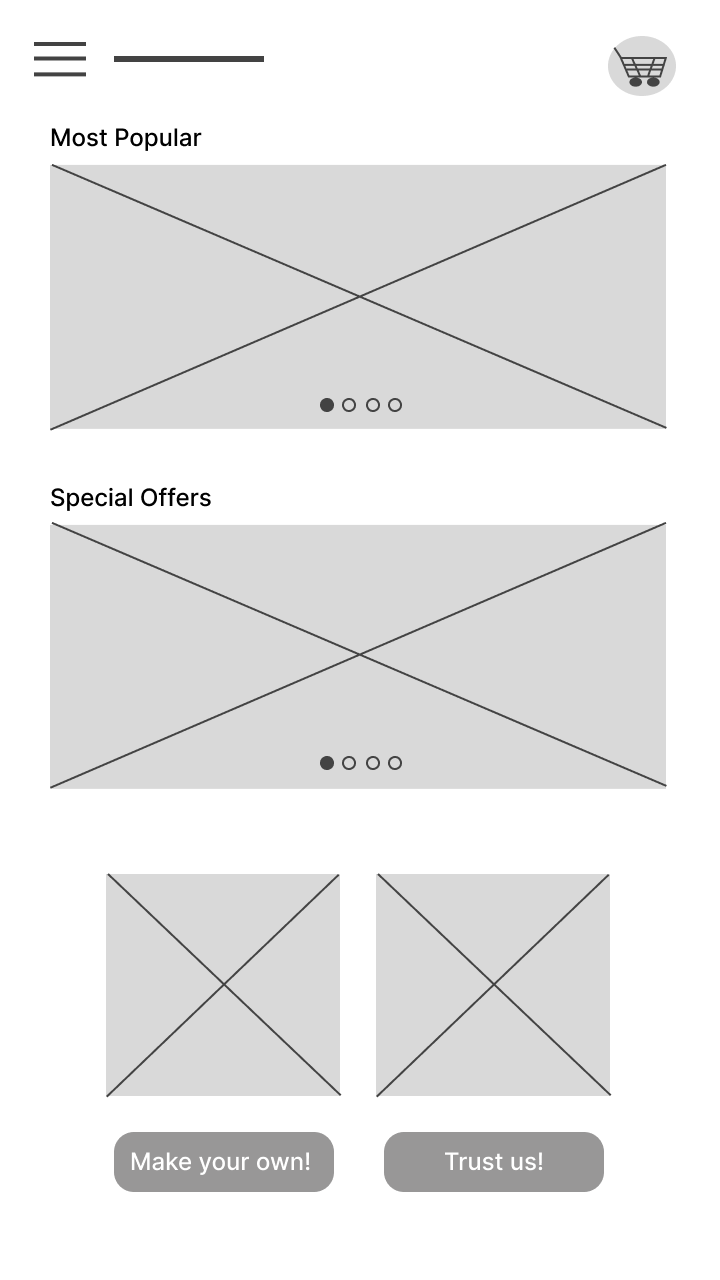
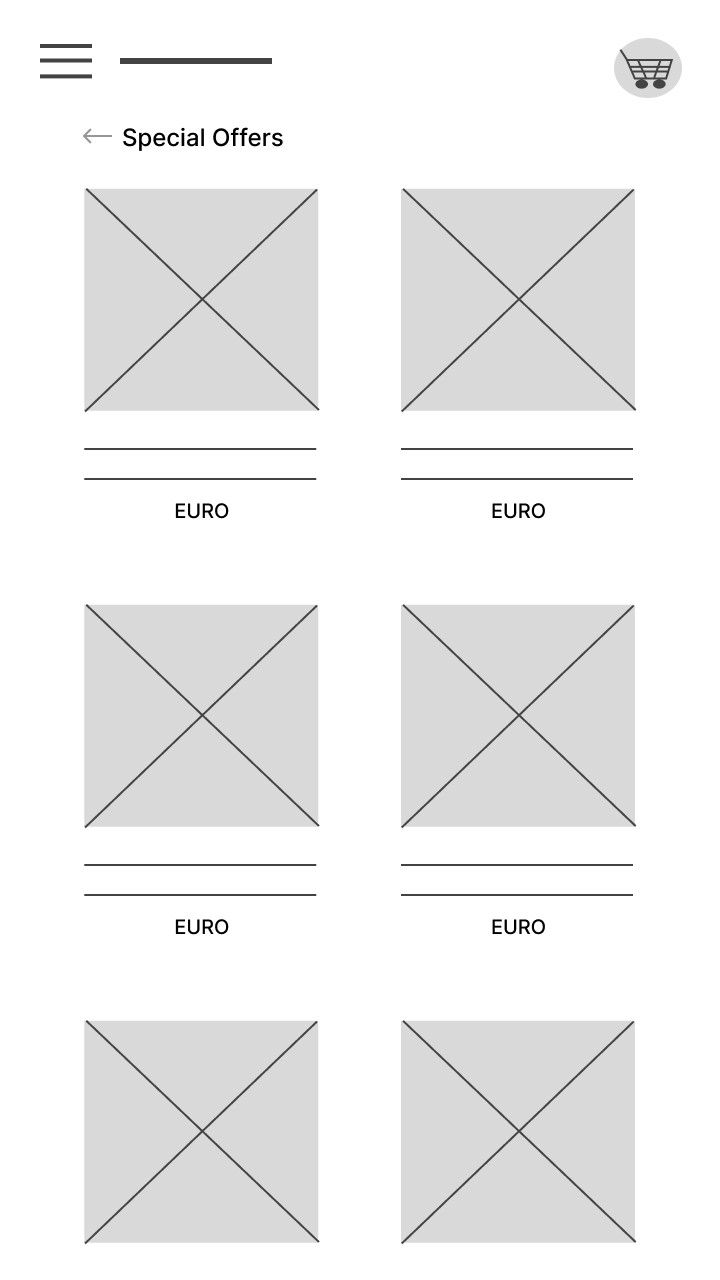
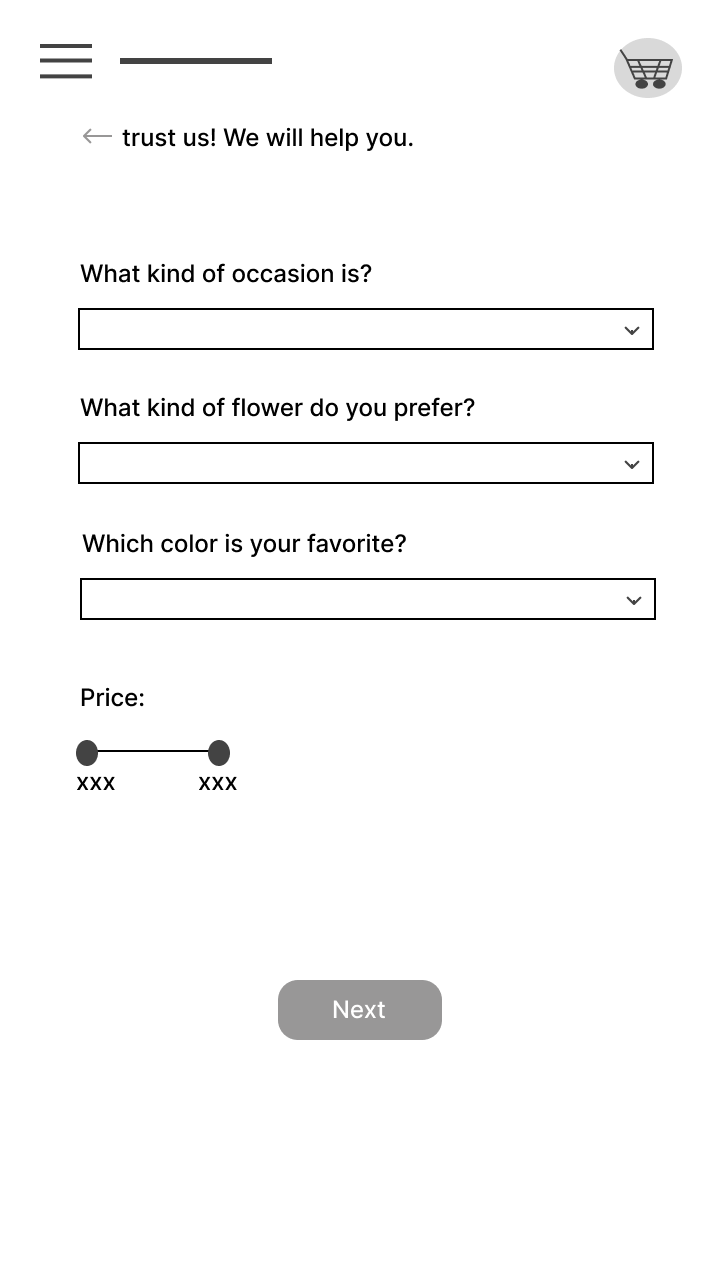
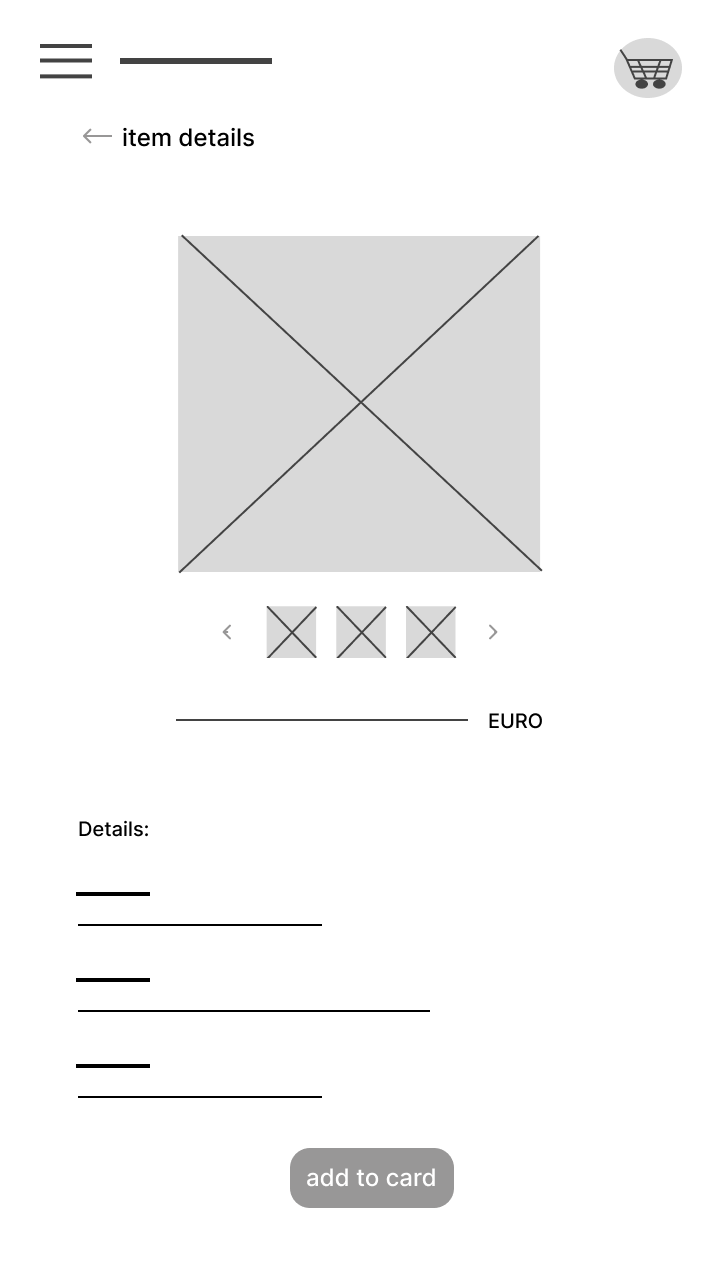
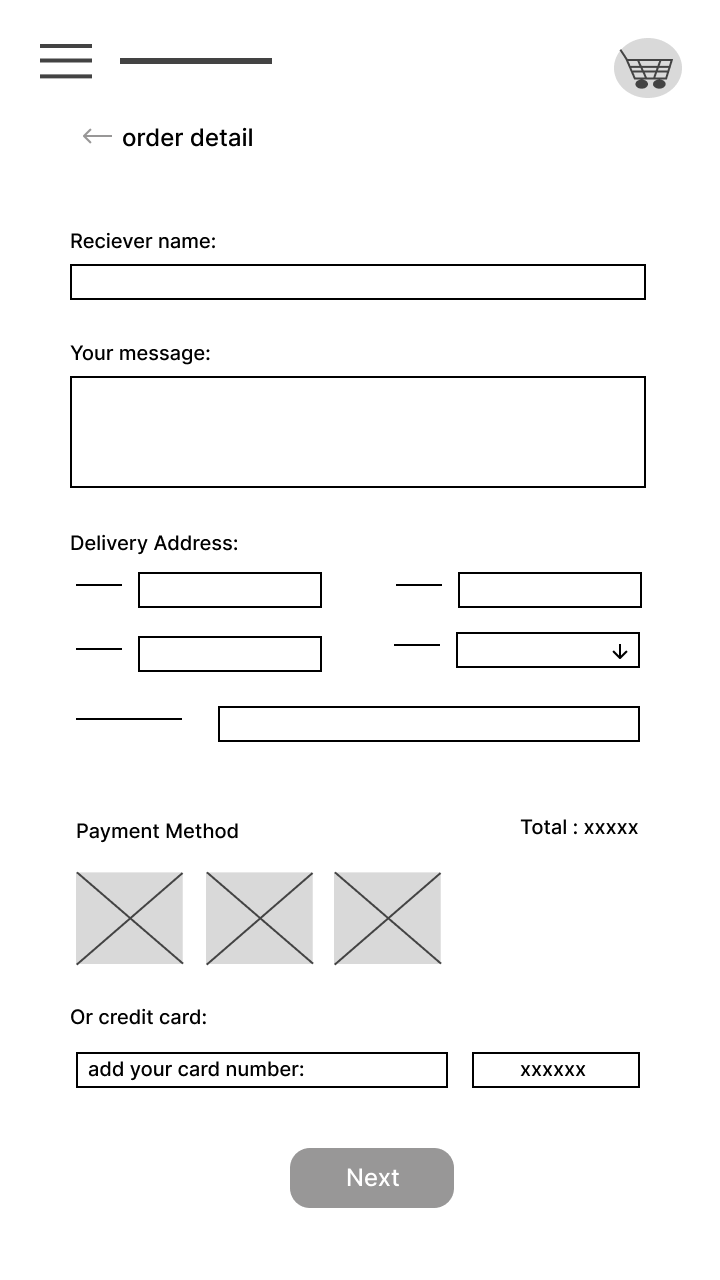
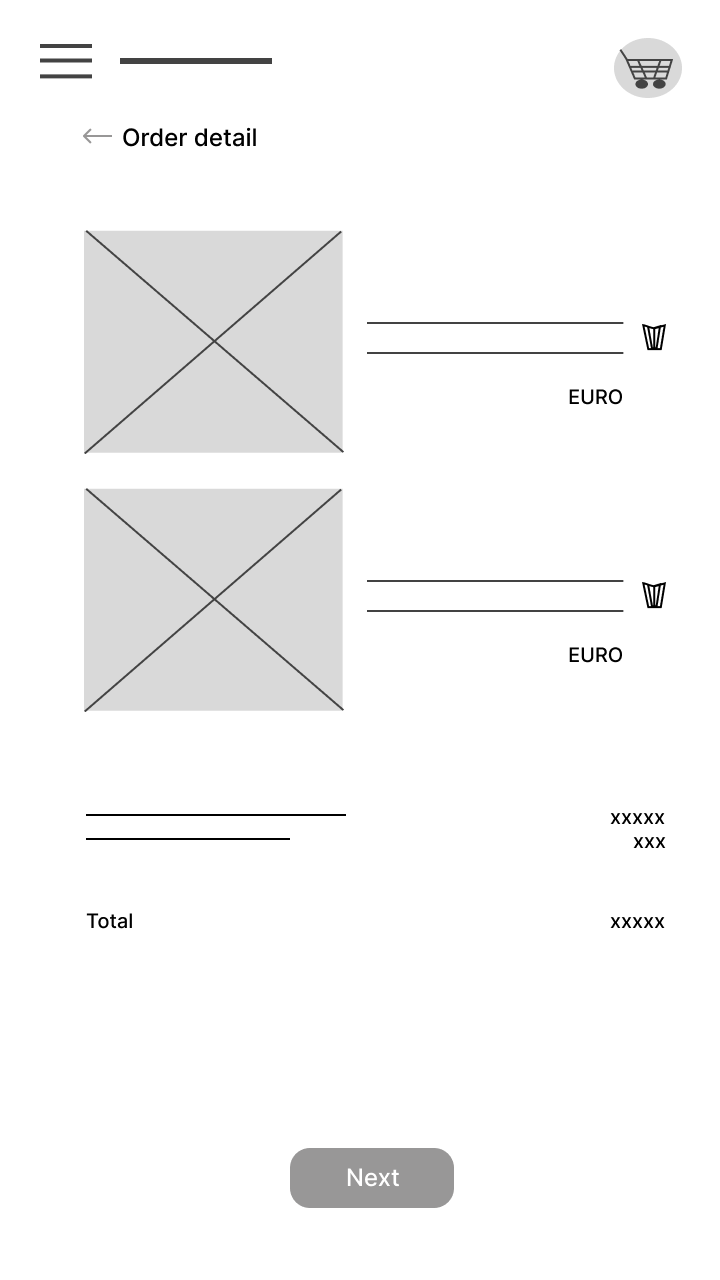
Using Figma, first sketches were translated into low-fidelity wireframes. They were then refined to test screen structure, content priorities, and user flow before moving into high-fidelity design. Feedback from the process helped me adjust the layout and interaction decisions before building the final prototype.
UX Research Study
UX research was conducted to understand user motivations, pain points, and expectations when ordering flowers in a mobile context. The focus was to validate assumptions early and identify where users need stronger guidance.
A research plan was created and usability testing was run with 5 participants in Germany. The sessions focused on tasks such as finding an appropriate bouquet, adding it to the cart, and completing checkout while participants thought aloud.
Task success, time on task, and qualitative feedback were reviewed to understand where the flow felt intuitive and where users needed more clarity. This helped me connect research findings to specific design decisions.
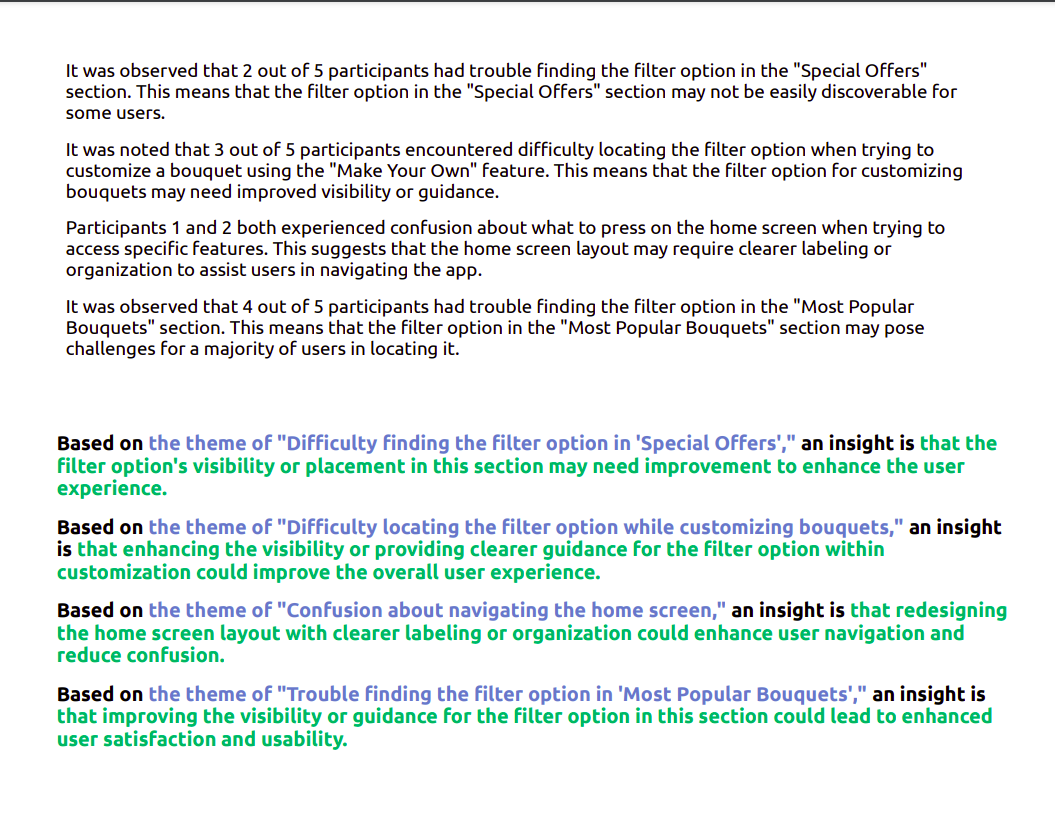
Findings validated the product direction and highlighted specific improvements in navigation clarity, trust cues, and checkout confidence.
Learnings
A key learning was that strong UX work is not only about polished screens, but about making decisions traceable and testable. This project strengthened my ability to move from research to interaction patterns with clear rationale.
It also deepened my practice in accessibility, information hierarchy, and designing user flows that balance emotional context with task efficiency.